 |  |  |  |  |  |  |
..and I've found a few strange things.]]>
If I'm not home to receive a delivery they now deliver it to a Mailboxes Etc/UPS Store several blocks down the street, usually immediately after the failed delivery or within 24 hours. Recently they've even started rerouting these drops to a business within walking distance from home. No more waiting for 3 attempts and another day, no more rushing across town on a weekday to make the horrible hours at the depot, these retail drop locations have much better hours.
The service from drivers has been good and I haven't noticed any damage to the packages that once was a common feature. I haven't been dinged with customs charges in years either, that could be because I don't use them to ship purchases, but I do recall even getting charged for things that were sent to me for free.
They also added the UPS My Choice system that you can use to get alerts, reroute packages and have some control and monitoring over delivery. So far I've registered and I get alerts whenever someone creates a shipment destined for my address, handy to know when a package is coming you don't know about.
Across the competitors I see a decline. Purolator used to be a favourite, they used to drop failed deliveries at a depot within walking distance the same day, usually ready for pickup on my way home from work. Now it's typically another 24 hours until it gets there and sometimes they drop it at the airport depot across town instead. Tracking has stopped being real time and the detail is lost, for example, the all important message that the package is available at the depot no longer indicates which depot it's at. I've also noticed lots of IT issues with the website.
Fedex too has slumped, they no longer leave failed delivery notices at apartment buildings and they don't leave a message on my answering machine that's attached to the doorbell/entry intercom. If I'm not expecting a package I have no way to find out about it until several days later when they call to tell me there is a package to pick up at the airport.
Canada Post was doing a top notch job to nearly match their more expensive competitors but has also fallen well back. Failed deliveries that used to arrive the same day at the post office across the street, now don't always make it there even for the next day. The hours at the local post office have been slashed several times as well. Tracking information is very slow and well out of date causing extra delays. The tracking systems also falsely sends a notification that a package is ready for pickup as soon as the delivery is missed, long before it's actually ready for pickup. It never does send the actual ready for pickup notice. Canada Post does have one handy feature, for products shipped from other countries, you can often enter the tracking number from the foreign post office into Canada Post and it will be able to track it, often only after it's reached Canada however.
Update:
I've just had a package go through Canada Post and they have upped their game and fixed some issues. If you're signed up for tracking updates, there is now an "Out For Delivery" email that goes out, a "Ready For Pickup" email that goes out at the right time and no false ready for pickup email. Instead of the previous false pickup message, a proper "Notice Card Left" tracking item appears. Tracking speed is also vastly improved and back to a reasonable and useful level.
The other change was the CRTC requirement that providers offer "Skinny Basic", a basic channel package offered at a maximum price of $25. They also included limits on how additional channels could be packaged. I was pleasantly surprised by Shaw's Skinny Basic and package offerings as I was expecting the worst, the bare minimum requirements. They added a few channels to the basic package, including the prime US networks and offered it at $25. Additionally the small packages they offer are reasonably priced, including the sports channels. In fact you could recreate their older larger packages using the new Skinny Basic and packages for about the same price, also unexpected. After evaluating the new offerings I found that I now had quite a few options I was interested in, it was nice to have a choice. I ended up switching to Skinny Basic and adding some channel packages, reducing my overall cost while at the same time increasing the number of subscribed channels I was interested in. By December the CRTC will require further changes with providers required to offer each channel individually as well. It will be interesting to see if that allows any further improvements.
]]>Coincidentally, the little counter that has been running on my website since 1997 has just turned over into 8 digits, 10,000,000 hits. The first million took a little over 8 years, the next 9 million about 10 years.
]]>Over the years, the abysmal customer service at Rogers and insane price hikes that always had to be negotiated back to reasonable amounts left me wanting more. Shaw started as a company I highly recommended and turned into one I despise. Their customer service went from reasonable to insulting fools, their price constantly marched upward, while products where at best stagnate, but often declined in quality.
I reluctantly restarted my relationship with MTS for wireless service. My contract with Rogers was coming to an end, Rogers prices again hit a new high and they weren't negotiating, I was tired of it anyway. I monitored the options and shopped around. Although MTS was on the bottom of my list, they were at a reasonable list price without any negotiation needed. I was also confident that their network was reasonably wide and fast after they started a networking sharing/building agreement with Rogers some time prior. That agreement also extended to hardware, so I knew I could get the iPhone I wanted as well. I spent a lot of time crossing the T's and dotting the I's. MTS's website is quite sparse and barren for detailed information, so I chatted with customer service a lot to make sure I understood everything and could get exactly what I wanted. One of the deciding factors turned out to be customer service. At MTS I got consistent and correct answers from everyone I talked to, unlike everywhere else. They may not have been the answers I wanted to hear all the time, but they weren't misleading or incorrect. I decided to give MTS a 2 year trial, the length of a contract.
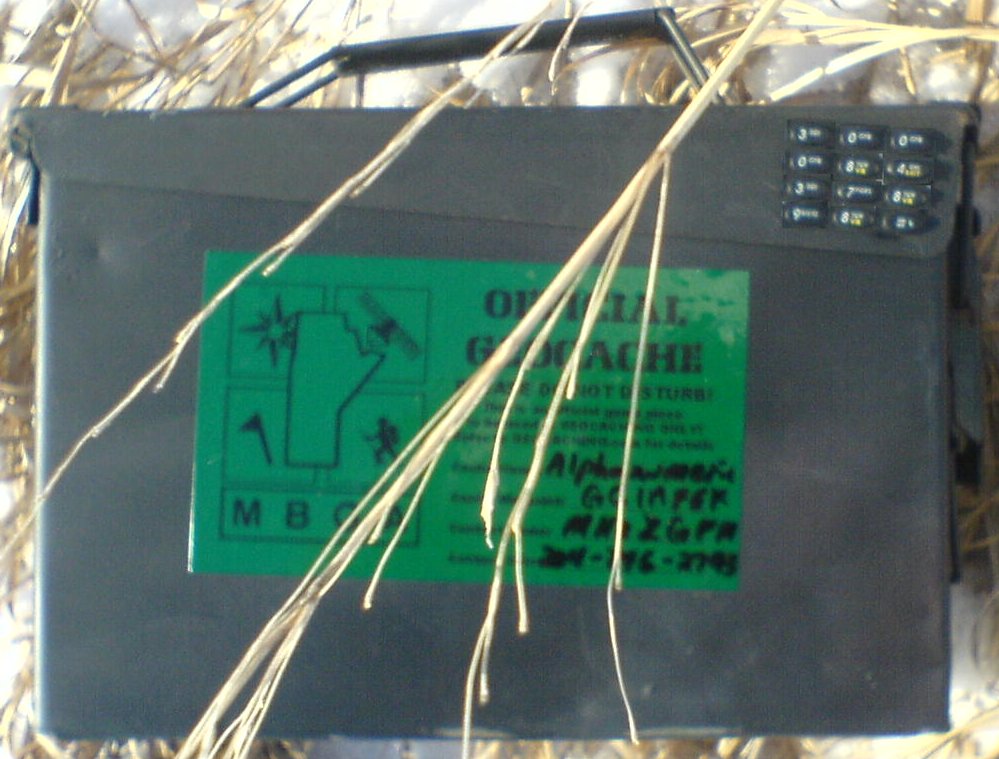
Perhaps the title is a bit misleading as I'll likely not change my geocaching participation habits much at all. I still go out and find caches at much the same rate I have been over the past couple years. Even if it is a little more difficult to get the data out of the website now.
As for why, even at the quite minimal cost I don't feel I'm getting enough value out of it and I'm growing increasingly frustrated with the way Groundspeak operates and no longer want to support them in any way.
When I started, premium membership was just a few added bonus features, it wasn't necessary for every day use, just some luxuries to help things along. It made sense, pay a few bucks, get a few perks. That's rather changed now, both as geocaching and the website have evolved, membership has gone from a luxury to a near requirement. The current website operation and your interaction with it are quite crippled without membership. I'm really not a fan of this model, but I have continued along more out of a necessity than a desire to have a membership.
Some of my decision also stems from state of geocaching today and my lack of enjoyment of such. When I started geocaching it was a geeky reason to get outside and try something new. That quickly exploded into engaging in exploration, being outdoors, being active, finding new challenges and trying new activities. The social aspect showed up a few years later and become a very important component. And a little while later the ability to volunteer, flex some technical muscles and engage in the bureaucratic side added another component. The novelty wore off, but those aspects made it more than worth while. Today, a lot of that has vanished for me and greatly diminished the enjoyment. There rarely seems to be any new exploration. It's all to common to find myself showing up at the exact same spot in a park I've visited many times or partaking in the same activity at the same venue. The poison ivy, bugs, scrapes and bruises, dirt and sweat all seem to weigh heavily against enjoying nature. Even the amount of exercise has diminished as it's all too easy or required to drive from parking lot to parking lot. Finding a nice walk to a cache takes a special effort. The challenges involved in the activity seem to have stretched from fun and accessible to difficult and time consuming, to arduous, expensive and life altering to impossible. They just aren't worth it, not only has the difficulty increased but the rewards have decreased. Social activity is the biggest hold out, but even that has diminished to a great extent.
As for Groundspeak, I'm really not sure of how they operate internally, if there's reasons why things work as they do, but that's just not an excuse, as a customer I've had enough. Time after time, the decisions being made seem to be obviously wrong, I certainly don't agree with the majority of them. Hindsight proves this out, as after a couple years, several of these "mistakes" have been reverted and backed out, but not until after causing much grief. There seems to be a pattern of rolling out a feature or change out of the blue with a dubious need or want. All the while failing to deliver bug fixes, promised changes or feature requests that have been outstanding for a very long time and are highly requested and desired by participants. I know of bugs that have existed for over a decade that just don't get addressed, despite being continuously reported. There also seems to be a lack of respect for ideas and people. I know I've been insulted and banned by Groundspeak personnel for requesting a bug to be fixed. A series of little things have built up into a massive pile over time. It's just too much effort and frustration to deal with all these things on top of just plain participating. I no longer want to invest the effort and I'm certainly not going to pay any more money to have that privilege.
]]>Achieva
It started with GIC rates dropping where I held my TFSA account. But this continued a trend that had been growing for some time. When I started using Achieva (virtual credit union run by Cambrian) long ago for my high interest savings products they were providing the top rate or near the top rate of anyone. Over time, they've slid down the scale, ceasing to be the top rate, then falling to the middle of the top runners and then farther back. I held on as they were still pretty competitive and their services were fairly good. As I've started using other providers I found Achieva to be one of the most fully featured, and all around above average available. They also offer electronic transfers to other banks which is a great feature. I will keep my accounts open for later use. But that one rate drop on GICs was the trigger for me to start looking elsewhere.
Hubert
I surveyed the market for a couple months looking for a single provider that had top rates for savings, GICs and each of those also contained within TFSA. I settled on Hubert (virtual credit union run by Sunova). They offer high rates, no fees and convenient electronic transfers between banks. They only offer a simple savings account however, so all other transactions are impossible. I quickly moved my unregistered savings over and put some of it into their 1-year quarterly redeemable GICs. I find their online banking interface very sparse and lacking some important information. Happily they have an online chat system to quickly get extra information and process any manual transactions that need to happen. I have had one poor experience recently where I asked for GICs to be redeemed at the end of their term (they automatically renew), but later received an automated email that one of them would still renew. I asked customer service again to set them to redeem. It was important to me that this transaction took place and I wasn't certain it would be fixable if it went wrong. I checked back with customer service again several days later and still one other GIC was not set to redeem. In the end, they have redeemed thus far, two more to go. My TFSA account balance is slowly moving over as GICs redeem. The TFSA rules make it a little painful to have to hold cash in the account till just before the end of year, withdraw it, then redeposit at the beginning of next year to keep the balance in TFSA, yet not break the contribution limits.
I've kept right on using my TiVo in analog SD, as the options just aren't compelling, heck they downright suck. The HD content sure is nice on the big plasma TV, but I just can't stand using the interface on the Shaw PVR. It barely works, let alone be friendly and usable. It's not even a match for the features TiVo had 15 years ago.
Here's an example. I watch F1 racing, it looks wonderful in HD, I go out of my way to have the Shaw PVR record it. I can't set the Shaw box to automatically record it however, there isn't an option to do so. The only way to come close I can find will record many other things, but still miss some F1 coverage. So every race I need to manually load up the listings and set the box to record the race coverage. (As an aside, I can't comprehend why Shaw won't hide or allow me to hide the channels I don't receive on their hardware, they appear in all listings and search results). Welcome to the 80s VCR. Now that almost works, except sometimes it doesn't. The show won't record, or it will record then instantly disappear, or it won't show up in search results or something else just wonky. I keep the TiVo recording the race just in case. In fact, once set up it does it all by itself, I don't need to remember when the races air or do anything to record them.
The user interface on the Shaw hardware is weak and kludgy, doing even simple things is painful. The PVR clearly has been tacked onto a cable box, depending on features which have been tacked on beforehand. Searching for shows? You better know when they air and what channel they are on or good luck finding them. All those simple things TiVo conquered years ago are missing. Like rewinding the show a little after you stop fast-forwarding to account for the latency from the scene you saw that made you stop to the time you hit the button. Shaw has another box that is a little more featureful, but extremely buggy. MTS, I think they've got a very similar PVR to the Shaw one I own. Same with Shaw satellite, seems to be about the same hardware. I don't know about Bell satellite, but I doubt it's much different. None of these really have much storage space either, would quickly fill up and stop recording with even regular usage. The CRTC doesn't mandate any 3rd party access, so there isn't any, use the hardware from the provider or nothing at all. MythTV? Tried that, after months fighting to set it up and get it working reliably, I gave up, it was never going to meet my desired usability. It also depended on specific Shaw hardware. HD Over The Air antenna TV is available, but really only 3 channels are available and after trying several antennas, I couldn't reliably tune even those 3.
I'm growing tired of SD content on my nice HD tv. My TiVo is growing old and would like to retire, but there just aren't any options. The content distributors might just push me into cord cutting, not because the alternatives are better, but because they are worse.
]]>I find that iOS is simpler to use and more predictable. Help is more readily available and app selection is slightly better. I generally enjoy that most decisions have been made for me in a logical manor and I don't need to spend time thinking about them and choosing. Certainly there are cases where I would like control over that choice, but once I discover it and how it has been made I can choose to work around it or deal with it.
]]>Something to think about.
]]> | | | | | | |